Yara
PRODUCT DESIGNThe Overview
Yara is a mini-app that makes it easy to convert cryptocurrency to Naira. Nigerians who are involved with web3 find converting crypto to Naira a hassle for many reasons, ranging from policies hostile to crypto to outrageous fees charged by apps offering crypto-to-Naira conversion. Yara creates a platform for crypto to Naira conversion that operates within existing regulatory frameworks while charging low fees.
The Problem
Yara's service works as intended, but the user experience of the mini-app is quite fragmented. This is partly on account of the nature of web3 itself, with its multiplicity of tokens and multiplicity of chains. For example, if you want to convert Pesos to Naira, it's as simple as finding a service that converts Pesos to Naira.
However, with Web3, you have to first be sure the service you're using supports the chain you have tokens on and then that you can find the particular token you want to transfer to that wallet. It's not enough to have some USDC you want to convert to Naira, you also have to make sure the USDC is on a chain supported by the service you're using. They could support USDC on Base, for example, but not USDC on Optimism.
The challenge was to design a coherent user experience for Yara users within the context of a Farcaster mini-app. It needed to be a simple, intuitive screen that is clear and enables users to select the token and chain they want to transfer from and see the Naira amount immediately.
The Design System
The problem with the Yara flow was that the original design fragmented each decision into individual screens.
The first screen required the user to select the amount they want in USD, and then select the token they want to send and the chain on subsequent screens.
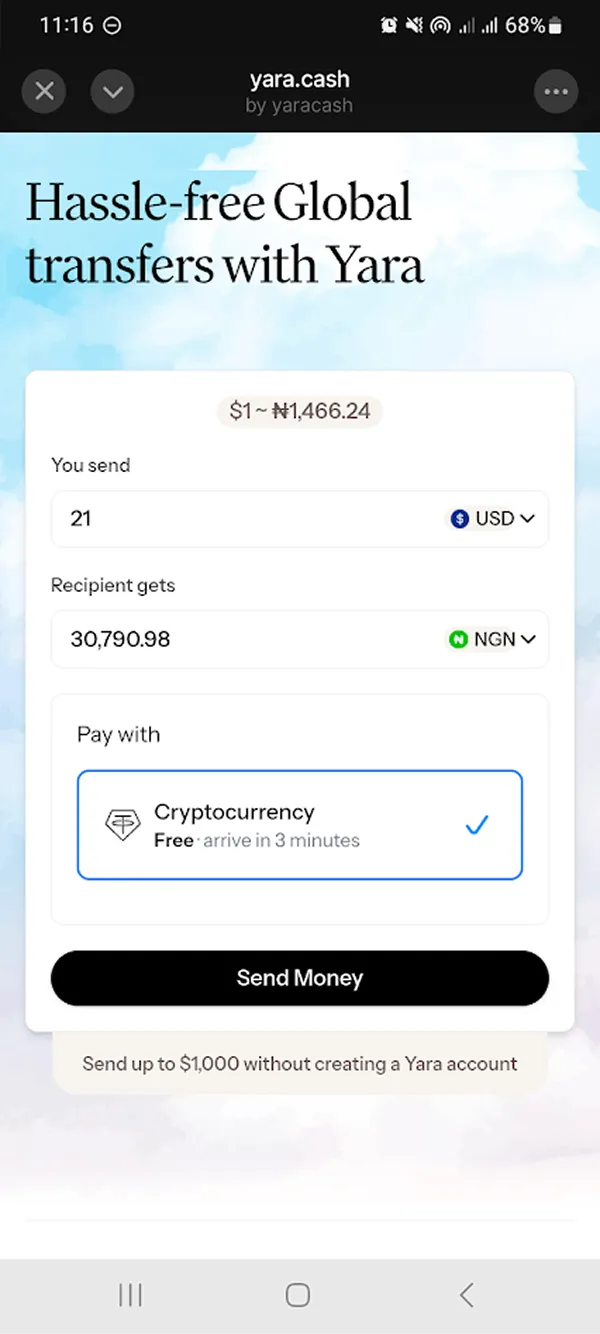
That flow makes no sense because the user is not sending USD, they're sending a token, and there's no need for an entire screen to be given over to a currency that isn't the one the user is about to transact in.
The model is not: USD → Token → Naira
It should be simply: Token → Naira
As I used the app and went through the flows, the more I realised that it was possible to put the core flow of the app into one screen. The mental model, after all, is: user selects a token and a chain, decides how much they want to send, and connects a wallet to transfer the tokens from.
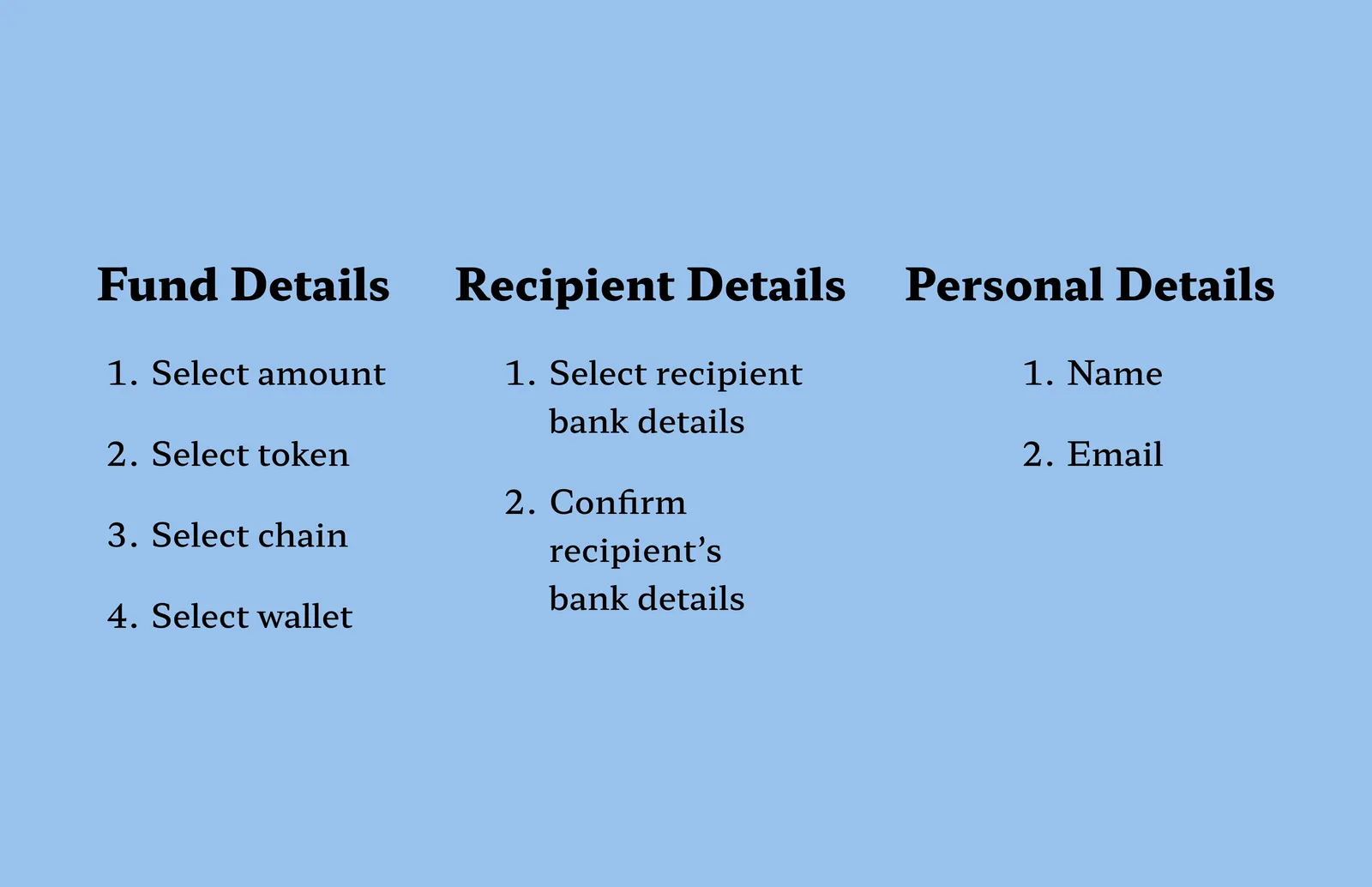
To be sure, I made a flowchart of all the interactions on the app, and realised that the flow could be broken into three stages:
Selecting fund details → Select recipient details → Input personal details (name and email for marketing campaigns).
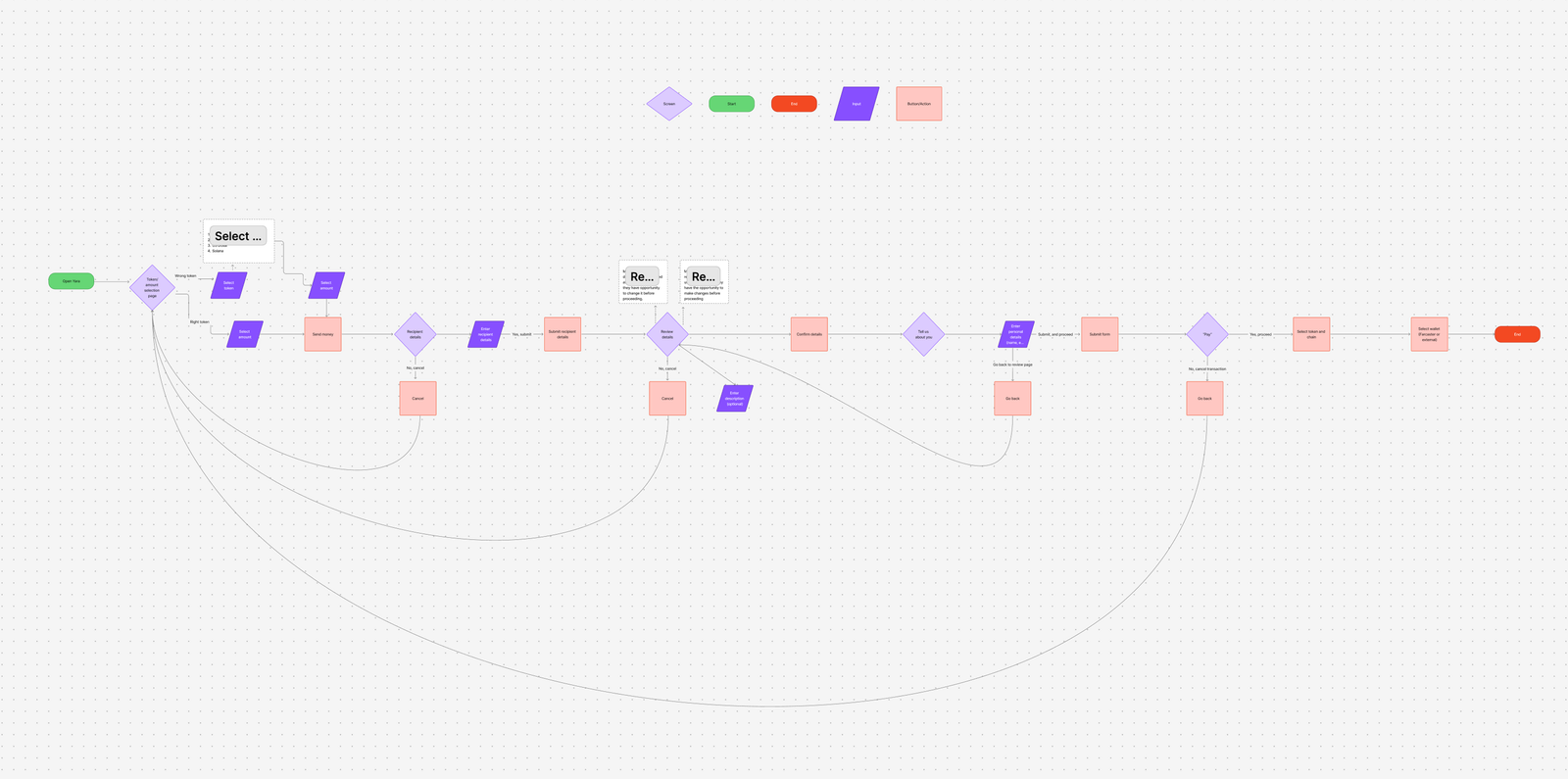
On the original app, these flows are fragmented; for example, the user selects the amount they want to send and the recipient's details BEFORE they select the token details and confirm the wallet details they want to send from.
The best way to order the flow, I realised, was to group all the actions under one of those three stages and have them progress logically like that.
The Outcome
With the three categories all set, I focused on designing the screen for the first category (Fund Details). I reasoned that the other two fields were just forms to take in certain information and act on it.
The first category needed the most work.
I consolidated the entire category into one screen.
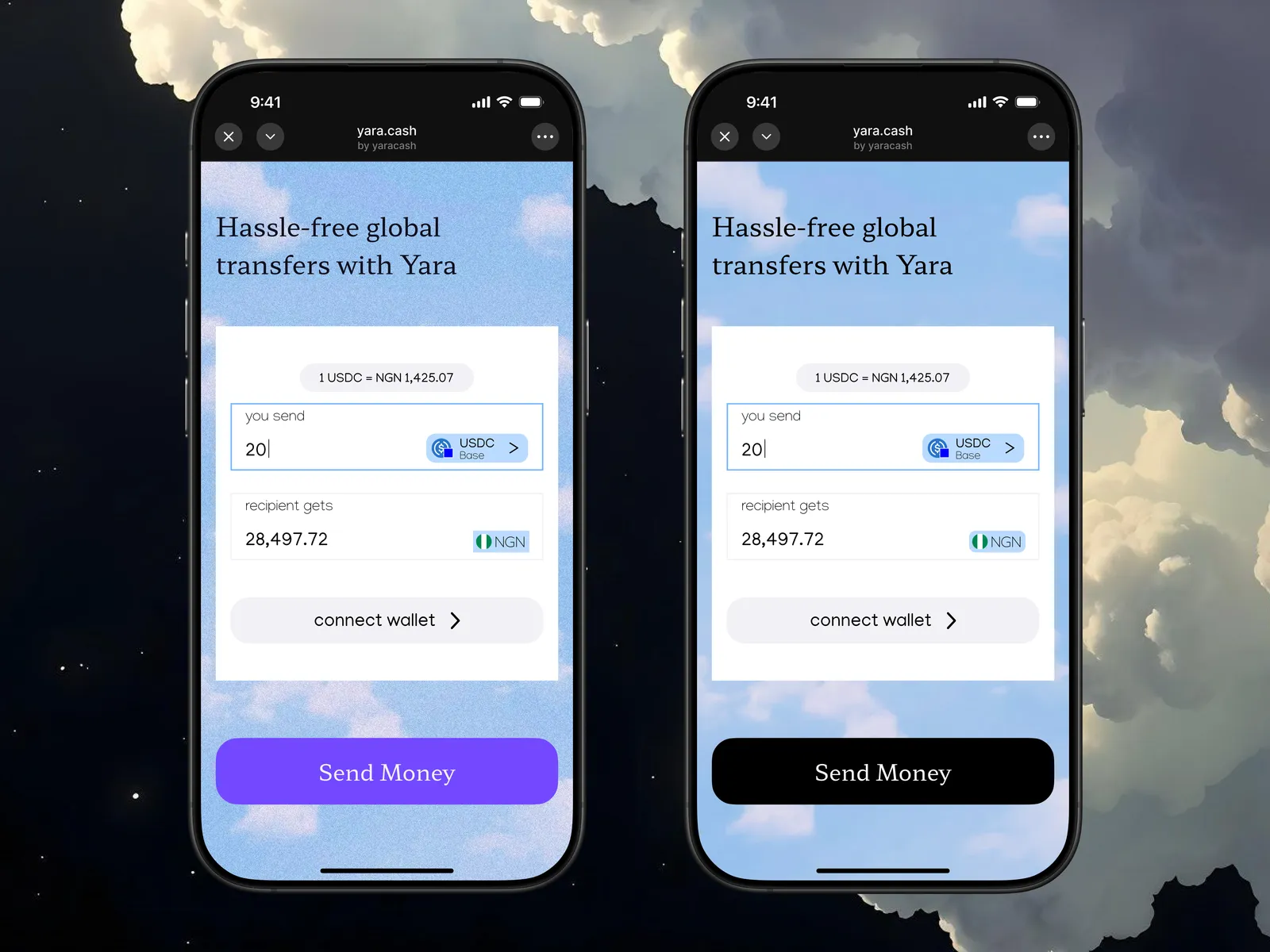
On that screen, the user can select the amount of tokens they want to send, and in the input field, there is a token selection pill that opens a modal where the user can then change the token and select chains. The default token/chain combination is USDC on the Base chain, reflecting the most common token/chain pair on Farcaster. And finally, because USD is the global currency, there's a pill showing the current conversion rate from USDC to Naira (USDC tracks USD 1:1).
The Reflection
One lesson I've worked hard to internalise is that design is all about what helps the user achieve their goals better. Working on Yara brought that to the forefront. It was a small application with a singular objective and I had one task: make it easier for the user to swap crypto to Naira. Every other choice I made, I had to make in service of that singular goal. I hope to apply that level of singleminded user obsession to everything I do going forward.